Setting up a switch cabinet: how to keep it safe, organized and professional
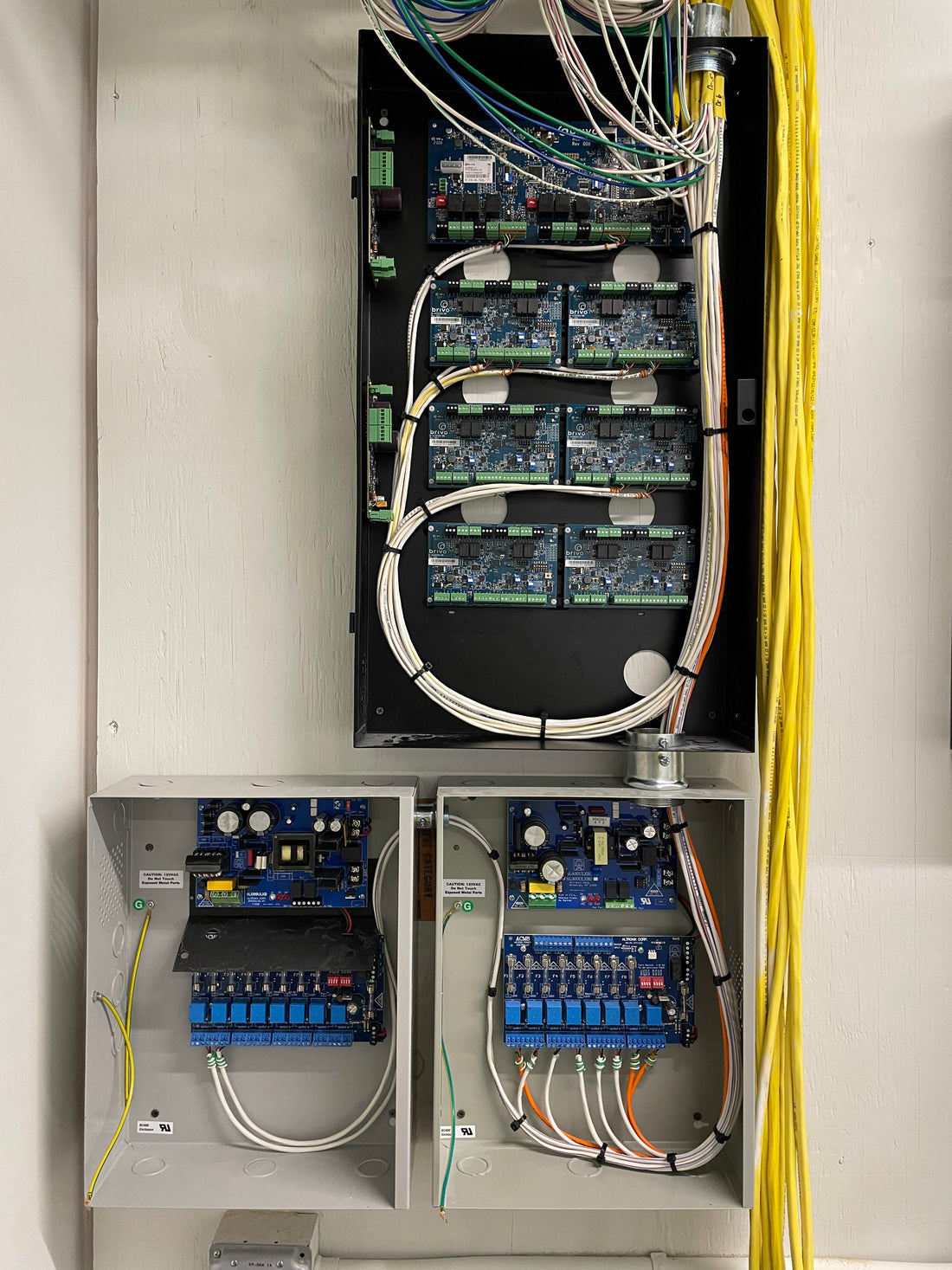
A well-designed switch cabinet is the heart of every installation. Whether you're setting up a network cabinet, mounting cameras, or managing an off-grid system, a well-organized switch cabinet ensures reliability, safety, and ease of maintenance. In this article, we explain how to properly and neatly organize a switch cabinet using components from the UMATECH range.
1. Why a tidy switch cabinet is important
-
Overview: you can immediately see what is connected where
-
Maintenance-friendly: detect faults faster
-
Safety: prevents short circuits and fire hazards
-
Professional appearance: for the customer, inspection authorities and yourself
A messy closet is not only disturbing, but often also risky.
2. Choosing the right cabinet
For indoor use, you can choose from plastic or metal enclosures with IP20–IP30 rating. For outdoor use, IP65 is the standard. UMATECH offers waterproof enclosures with DIN rails and cable glands, among other options.
NB:
-
Space for DIN rails and cable management
-
Possibility of ventilation or active cooling
-
Easy-to-assemble layout (base plate, mounting holes)
3. Arrange and arrange components
Start with a plan:
-
Mark out where fuses, power supplies, relays and modules will be located
-
Leave space between components for heat dissipation
-
Group components logically (e.g. power, control, network)
DIN rail accessories:
-
Automatic fuses
-
Voltage dividers and power supplies
-
Time relays, timers and modems
Use blind DIN rail pieces for backup or cover.
4. Cable management and labeling
Working neatly = working safely. Tips:
-
Use cable glands (PG/M20) or cable entries with strain relief
-
Label each cable (start & end) with cable marking
-
Use cable trays or spiral bands for bundling
-
Clamp power cables with welding clamps or WAGO clamps
Ensure that power is separated from data lines to avoid interference.
5. Ventilation and cooling
Electronics generate heat. This can be especially true for PoE switches, power supplies, and inverters.
Tips for cooling:
-
Install ventilation grilles or 12V/24V fans
-
Allows air circulation through space between components
-
Avoid direct sunlight (especially for outdoor cabinets)
UMATECH also supplies customised ventilation kits for IP65 cabinets.
6. Common Mistakes (and How to Avoid Them)
| Wrong | Consequence | Solution |
|---|---|---|
| Too small cabinet | Overheating, no expansion option | Take 30% extra space |
| No labeling | Confusion, incorrect connection | Label each cable and fuse |
| Cables without gland | Moisture, tensile stress | Use nipples or strain relief |
| No fuse | Danger of short circuit | Install a fuse for each power group |
7. UMATECH control cabinets and accessories
We supply:
-
IP65 switch cabinets in various sizes
-
DIN rails, cable glands, fuses, fans
-
Patch panels and PoE power supplies
-
Cabinets with mounting rails or mounting plates
We also supply pre-assembled sets or custom-made switch cabinets.
UMATECH – technology starts with a neat cabinet.